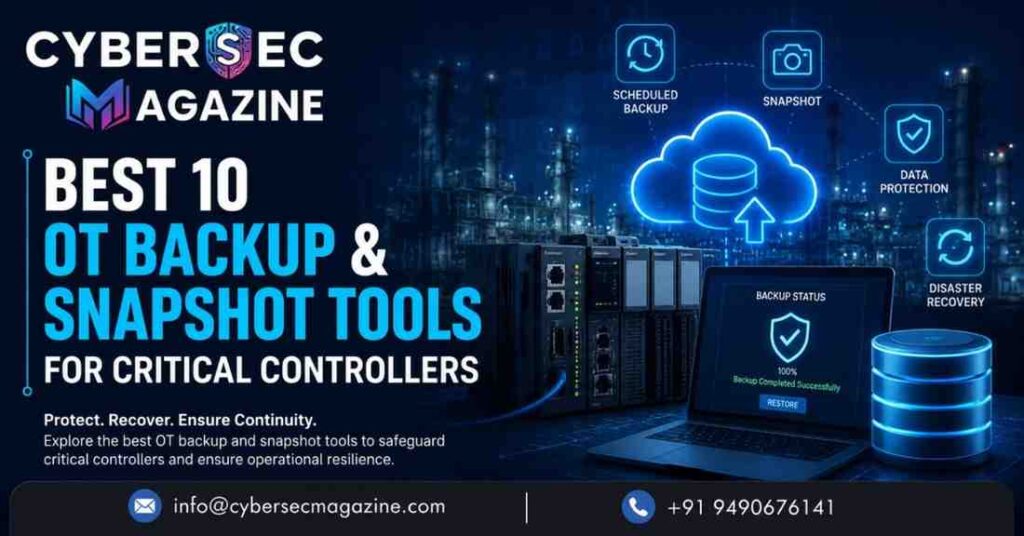
Best 10 OT Backup & Snapshot Tools for Critical Controllers
What to look for in an OT backup and snapshot tool
For critical controllers, the best tools do five things well. First, they capture the right assets, not just files on a desktop. Second, they automate backup collection so engineers are not walking the floor with USB sticks. Third, they make restore practical by preserving version history and compatibility context. Fourth, they detect unauthorized or accidental changes. Fifth, they support multi-vendor or multi-site environments where consistency is hard to maintain. Those capabilities show up repeatedly across current vendor pages for OT backup, versioning, and recovery platforms.
1) FactoryTalk AssetCentre
Rockwell Automation’s FactoryTalk AssetCentre remains one of the most recognizable OT asset-control platforms for industrial teams that need centralized versioning and disaster recovery support. The current product page describes it as a centralized tool for securing, managing, versioning, tracking, and reporting automation-related asset information, with features that include periodic automatic backups of device configurations, detection of differences against a master version, and faster recovery after failed devices. That makes it especially useful in Rockwell-heavy environments where the backup problem is really a configuration-governance problem.
For plants that want a single place to track what changed, who changed it, and whether the running controller still matches the approved version, AssetCentre is still a strong benchmark.
2) octoplant
Siemens’ octoplant, formerly associated with AUVESY-MDT, is built around version control, backup, and restore for industrial automation. The official page says it automatically extracts asset details such as IP address, serial number, and firmware version, helping teams keep an up-to-date view of automation assets. Siemens also highlights backup and restore, project versioning, and change detection, which makes octoplant especially relevant for engineering teams that need a structured record of what is running on machines across lines and plants.
Where octoplant stands out is the combination of configuration visibility and recovery discipline. Instead of treating a controller project as a one-off engineering file, it turns it into a managed asset with history, comparison, and alerting.
3) Verve Security Center
Verve’s Security Center is aimed squarely at IT-OT recovery. Its official backup and restore page says it provides comprehensive backup and restore capabilities for OT/ICS systems, including relays, network configurations, HMI and server assets, and more. The same page also highlights integrations with mainstream IT backup ecosystems and features such as backup-status visibility, deduplication across devices, and source-side deduplication to reduce network traffic.
That matters in large industrial environments because the backup workload is rarely limited to the controller alone. Recovery often requires the surrounding network and embedded infrastructure to come back in the right order, and Verve is positioned as a broad OT recovery layer rather than a single-device utility.
4) Siemens SIMATIC DCS/SCADA Infrastructure
Siemens’ SIMATIC DCS/SCADA Infrastructure is not a lightweight app; it is a preconfigured IT/OT platform that includes backup and restore as part of a larger industrial data-management architecture. Siemens says backups are created automatically during plant operation, and the offering is framed for disaster recovery and compliance needs such as cyber resilience and NIS 2 readiness. In current product material, Siemens also notes a partnership with Veeam for disaster recovery support.
For organizations running DCS and SCADA environments where downtime has immediate production impact, this kind of integrated backup-and-recovery stack is often more realistic than trying to bolt on a generic IT tool after the fact.
5) Copia DeviceLink
Copia DeviceLink is one of the clearest examples of a modern OT backup product built for PLC recovery workflows. Copia’s current product pages say DeviceLink automates PLC and OT asset backups on a schedule or on demand, gives teams centralized access to historical backups, and detects meaningful changes at the machine level. The company also positions it as a way to eliminate manual PLC backups and recover faster when things go wrong.
The practical benefit is obvious: instead of relying on ad hoc engineering discipline, DeviceLink turns backups into a repeatable process with change detection and versioned recovery points. That is a major step forward for any plant that still depends on manual exports or undocumented copies on shared drives.
6) Copia Source Control
Copia Source Control is the version-control side of the same OT recovery story. According to Copia’s official product page, it uses Git-based source control for industrial automation, automatically tracks changes, supports visual diffs, and keeps a full version history for auditability and recovery. The platform is designed for PLCs and other industrial code assets, with collaboration features that help teams work concurrently without overwriting one another.
For critical controllers, source control is not a luxury. It is one of the best ways to know exactly what changed, when it changed, and how to roll back to a known-good state after an incident or a bad deployment.
7) EcoStruxure Control Expert
Schneider Electric’s EcoStruxure Control Expert is a strong native option for Modicon controller environments. The current Schneider documentation shows that a saved STU project automatically creates a .BAK backup copy, and the software also supports PLC data save/restore actions, including “Save Data from PLC” and “Restore Data from File to PLC.” Schneider’s documentation also describes DTX and DAT transfer formats and notes that data can be migrated across certain controller families under supported conditions.
This is the kind of tool that matters when the backup requirement is deeply tied to the engineering environment itself. It is especially relevant for teams that want controller backup, restore, and migration from within the same official programming stack rather than through a third-party wrapper.
8) Omron Sysmac Studio
Omron’s Sysmac Studio provides controller backup and restore functions for NJ/NX/NY-series controllers. The official specifications page states that users can back up controller data to a file and restore it later, create SD memory card backups, and import or export backup data into projects. It also includes security controls around controller identity and user authority, which is helpful in environments where both recovery and access control matter.
For Omron-heavy machine automation environments, Sysmac Studio is a very practical backup layer because it supports both file-based recovery and removable-media workflows, which can be useful when connectivity is limited or segmented.
9) Mitsubishi GOT2000 Backup/Restoration Function
Mitsubishi Electric’s GOT2000 backup/restoration function is a useful recovery tool for machine environments where controller program and parameter recovery may need to happen from the HMI side. The official product page says it can back up or restore programs and parameters of programmable controller CPUs or related devices to and from the GOT’s SD memory card or USB memory, reducing the need for a PC on the production floor. Mitsubishi also highlights scheduled backup triggers for more automated maintenance routines.
That makes it especially handy for plant-floor service situations, emergency replacements, and smaller machine cells where quick field recovery matters more than centralized governance.
10) ABB Ability™ System 800xA Backup and Restore
ABB’s System 800xA backup and restore capabilities are designed for larger distributed control environments. ABB’s system documentation says the backup/restore function supports online backup of a node and offline restore of the same node, and that a full backup stores aspect objects and aspect data. ABB also recommends validating backups before upgrades so the system can be restored if needed.
For process industries that depend on a DCS rather than a standalone PLC, this kind of system-level recovery is important because the controller is only one part of the operational stack. The value here is not just backup creation; it is the ability to bring back a coordinated industrial system with confidence.
How to choose the right tool
The right tool depends on whether your environment is controller-centric, DCS-centric, or mixed. If you need OT change governance and plant-wide configuration tracking, platforms such as FactoryTalk AssetCentre, octoplant, and Copia are strong candidates. If you need vendor-native engineering recovery, tools such as EcoStruxure Control Expert, Sysmac Studio, and ABB System 800xA are often the most direct fit. If your main concern is broad infrastructure recovery across controllers, servers, and network assets, Verve and Siemens’ integrated backup offerings become more attractive. That is an inference from the current feature sets these vendors publish, and it is the most practical way to group the market today.
A good evaluation also looks beyond the backup button. Ask whether the tool supports version comparison, firmware-aware restore, central visibility, alerting, and multi-site scale. In OT, those details are what separate a backup archive from a real recovery strategy.
Final take
The strongest OT backup and snapshot tools in 2026 are not just storing controller files. They are helping plants preserve engineering intent, detect drift, reduce manual work, and recover faster after cyber incidents, failed deployments, or hardware loss. For many organizations, the winning approach is a layered one: vendor-native backup for the controller family, plus an OT platform that provides version control, auditability, and centralized recovery management. That combination is what turns backups from an insurance policy into an operational advantage.